
Have you ever caught yourself saying "what?" three times at dinner, then quietly decided it was the restaurant's fault? For many adults, the first step toward help is not an audiologist's booth. It is a pair of earbuds they already own.
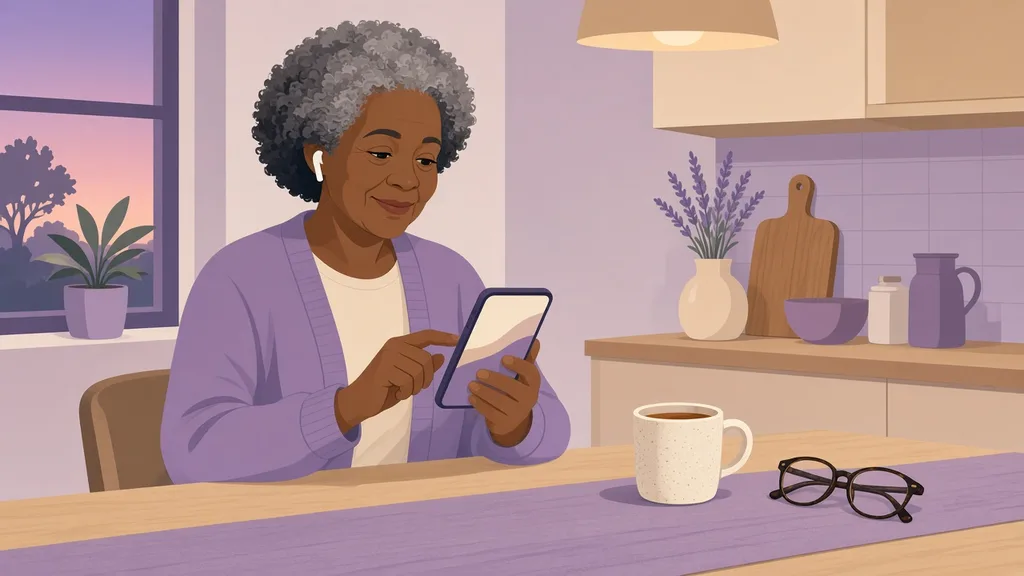
Apple's Hearing Aid feature for AirPods Pro 2 and AirPods Pro 3 is the most widely available over-the-counter (OTC) hearing aid option in the U.S. This guide uses Apple Support pages, checked in November 2026, and the FDA's 2024 authorization notice. It covers who the feature is for, how the Hearing Test works, how to set it up, and where its limits are.
What the FDA authorized
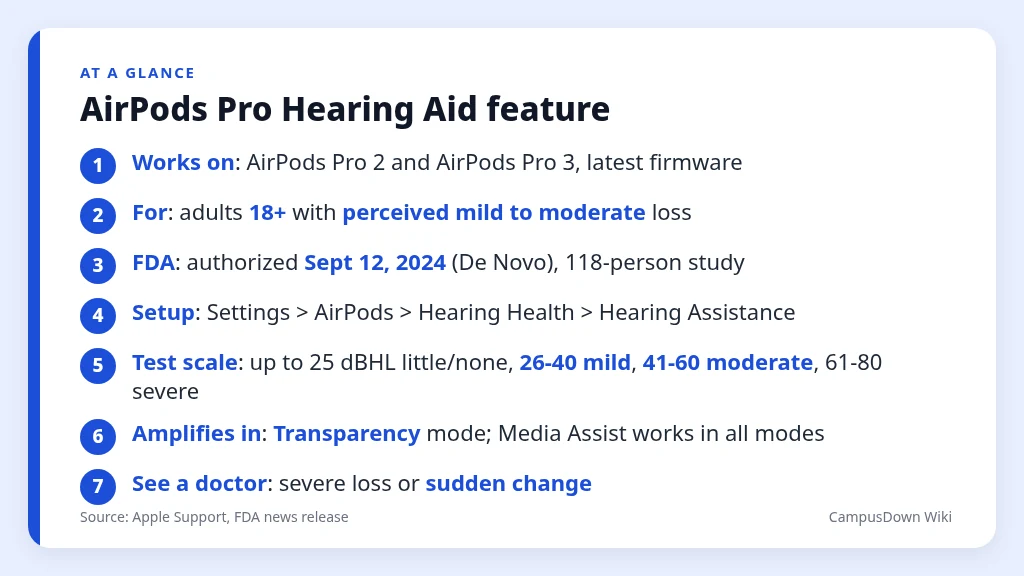
On September 12, 2024, the FDA authorized the first OTC hearing aid software, Apple's Hearing Aid Feature, for use with compatible AirPods Pro. Key points from the FDA's notice:
- It is software only, installed on compatible AirPods Pro and set up from an iPhone or iPad.
- It is a self-fitting hearing aid. Users customize it from their own hearing results without a professional.
- It is intended for adults 18 or older with perceived mild to moderate hearing impairment.
- It was reviewed through the De Novo pathway, used for novel low- to moderate-risk devices.
- In a U.S. study of 118 people with perceived mild to moderate loss, the self-fitting approach gave similar perceived benefit to professional fitting of the same device. No device-related adverse events were seen.
That last point matters. It does not mean AirPods match every prescription hearing aid. It means self-fitting the AirPods worked about as well as having a professional fit the AirPods.

What you need
Apple lists:
- AirPods Pro 2 or AirPods Pro 3, updated to the latest firmware
2. An iPhone or iPad running the latest software 3. A country or region where the feature is available (Apple keeps a list) 4. A Hearing Test result or an audiogram from a hearing professional
The AirPods must also be charged for the feature to work properly.
Step one: the Hearing Test
You can take Apple's Hearing Test from the AirPods settings or the Health app. To prepare:
- Get a complete seal. Apple suggests the Ear Tip Fit Test. AirPods Pro 2 come with silicone tips in four sizes; AirPods Pro 3 come with foam-infused tips in five sizes.
- Clean the AirPods; debris can spoil the seal.
- Find a quiet room. Apple suggests turning off fans or air conditioning, or testing at night.
- Tap the screen when you hear a tone. Each tone pulses three times. It is fine to miss one.
Results show a single number for each ear, an average across the pitches most important for speech, in decibels hearing level (dBHL). Apple's scale:
| Result | Apple's category |
|---|---|
| Up to 25 dBHL | Little to no hearing loss |
| 26-40 dBHL | Mild: you can hear a normal voice from about three feet |
| 41-60 dBHL | Moderate: you can hear a raised voice from about three feet |
| 61-80 dBHL | Severe: you can hear some words shouted into your ear |
The audiogram is stored in the Health app, and you can export a PDF to share with your doctor. Apple says people with severe or profound loss, or a sudden change in hearing, should talk to their doctor.
Step two: turning on Hearing Aid
With the AirPods in your ears and connected, Apple's steps are:
- Open Settings and tap the name of your AirPods.
2. Tap Hearing Health, then Hearing Assistance. 3. Tap Set Up Hearing Assistance. 4. Take a Hearing Test, or tap Use a Prior Test Result to pick an earlier test or add an audiogram. 5. Tap Set Up Hearing Aid, then Turn On Hearing Aid.
Depending on your results, the iPhone may suggest Media Assist instead. Media Assist tunes music, video and calls to your hearing but does not amplify the room around you.
How it works day to day
It pays to take a closer look at these details, because they explain most "not working" complaints:
- Transparency mode only. Hearing Aid amplifies the world around you only in Transparency mode. Media Assist works in all noise control modes.
- Settings live on the AirPods. If your phone is not nearby, Hearing Aid keeps using the last settings.
- Fine-tuning. Under Hearing Assistance > Adjustments you can change amplification, left-right balance, tone and ambient noise reduction.
- Conversation Boost focuses on the person in front of you. Apple says it works best one-on-one.
- Quick control. Amplification also appears in Control Center on iPhone, iPad, Mac and Apple Watch. The phone's volume buttons change media volume, not amplification.
- Swipe to Control Amplification lets you swipe the stem, but only in Transparency with no media playing.
Apple notes it can take time to get used to amplification and suggests making small changes over time. Our first-month adjustment guide explains in detail why new sound can feel tinny or loud at first.
Example scenario: the choir rehearsal
- Who
- Marguerite, 63, directs a church choir in Columbus. Over two years she noticed she was asking the tenors to repeat themselves and cupping her hand behind her ear at fellowship lunches.
- What happened
- Her daughter suggested hearing aids, but the quotes she remembered from her mother's day, plus the thought of "looking old" in front of the choir, kept her putting it off. She already owned AirPods Pro 2 for her commute.
- How it felt
- She felt embarrassed that people had noticed before she did, and worried a test would confirm what she feared. Part of her hoped it was just the church's acoustics.
- What they did
- One quiet Sunday night she ran the Hearing Test at the kitchen table. Her results landed in the mild range in both ears, a little worse on the left. She turned on Hearing Aid, nudged the balance left and tried Conversation Boost at lunch. She also exported the PDF for her doctor.
- How it turned out
- Lunch conversations were easier, though rehearsal with the organ was still hard. Her primary care doctor checked for wax, confirmed the test pattern, and referred her to an audiologist to talk about options for the noisier settings. Marguerite said the earbuds were the push she needed to stop avoiding the question.
This is an illustrative example, not a real patient or a review.
Marguerite is an illustrative example, not a real patient. A phone test is a screening step, not a full diagnostic exam.
Where the AirPods option falls short
The FDA's OTC rule is built for perceived mild to moderate loss. You can check it for yourself against the FDA's red flags. See a doctor, preferably an ENT, before relying on any OTC hearing aid if you have:
- Hearing that changed suddenly or got worse, then better, within the past six months
- Worse hearing in one ear, or ringing in only one ear
- Ear pain, drainage, a lot of earwax or dizziness
Sudden loss can be urgent; see sudden sensorineural hearing loss. Wax can also throw off results, which our earwax guide covers. If amplification is not enough, a hearing professional can test you fully. Compare paths in OTC vs prescription hearing aids, or see an OTC model with remote audiology care in Jabra Enhance Select.
Most-asked questions about the AirPods Hearing Aid feature
How do I set up the AirPods Pro 2 hearing aid?
In Settings, tap your AirPods, then Hearing Health > Hearing Assistance > Set Up Hearing Assistance. Take the Hearing Test or use a prior result or audiogram, then tap Set Up Hearing Aid and Turn On Hearing Aid.
Why people ask: "airpods pro 2 hearing aid setup" is #4 for "airpods pro 2 hearing aid" (US autocomplete, November 2026).
Does the AirPods hearing aid work with Android?
Apple's requirements list an iPhone or iPad running the latest software for setup. Settings are stored on the AirPods once set up.
Why people ask: "airpods hearing aid android" is #4 for "airpods hearing aid" (US, November 2026).
AirPods Pro 2 vs Pro 3 for the hearing aid feature?
Apple supports the Hearing Aid feature on both. The setup steps are the same; ear tips differ (four silicone sizes on Pro 2, five foam-infused sizes on Pro 3), and a good seal matters for the test.
Why people ask: "airpods pro 2 hearing aid vs pro 3" is #5 for "airpods pro 2 hearing aid" (US, November 2026).
How do I read my AirPods hearing test results?
Each ear gets a number in dBHL. Apple counts up to 25 as little to no loss, 26-40 as mild, 41-60 as moderate and 61-80 as severe.
Why people ask: "airpods pro hearing test results" is #4 for "airpods pro hearing test" (US, November 2026).
Why is my AirPods Pro 2 hearing aid not working?
Common causes in Apple's guide: AirPods not in Transparency mode, outdated firmware or iOS, low charge, or a poor ear-tip seal.
Why people ask: "airpods pro 2 hearing aid not working" is #7 for "airpods pro 2 hearing aid" (US, November 2026).
Related on CampusDown
You can learn more about how hearing changes with age in age-related hearing loss, and about ringing in the ears in tinnitus.
Frequently asked questions
- Do I need a prescription for the AirPods hearing aid?
- No. It is an OTC hearing aid for adults 18 and older with perceived mild to moderate loss.
- Can I use an audiogram from my audiologist?
- Yes. Apple lets you add audiogram results during setup instead of taking its Hearing Test.
- Does the hearing aid work during music?
- Hearing Aid amplifies the room in Transparency mode, and you can blend media volume separately in Control Center. Media Assist adjusts music and calls to your hearing.
- Can teenagers use it?
- No. Apple and the FDA say the feature is intended for people 18 or older.
For many adults with mild to moderate loss, AirPods Pro 2 or Pro 3 offer a low-barrier first step: a real test, an FDA-authorized fitting, and a PDF to bring to your doctor. Talk to your doctor or a hearing professional if your results show severe loss, if one ear is much worse, or if anything changed suddenly.
Browse more guides like this in the Home Medical Devices hub.
This article is for general education and does not replace advice from your own doctor, nurse or pharmacist.