
What do you do when your glucose app says one thing and your body says another? With the FreeStyle Libre 3 Plus, many first-time users hit that moment in week one, usually right after a signal-loss alarm or a reading that looks too high to be real.
The Libre 3 Plus is the newest sensor in Abbott's Libre 3 system. This guide explains what is actually new compared with the original Libre 3, how it compares with the Dexcom G7, and what Abbott and the American Diabetes Association (ADA) say about using it well. If you are deciding between sensors, take a closer look at the most-asked questions section.
What the FreeStyle Libre 3 Plus is
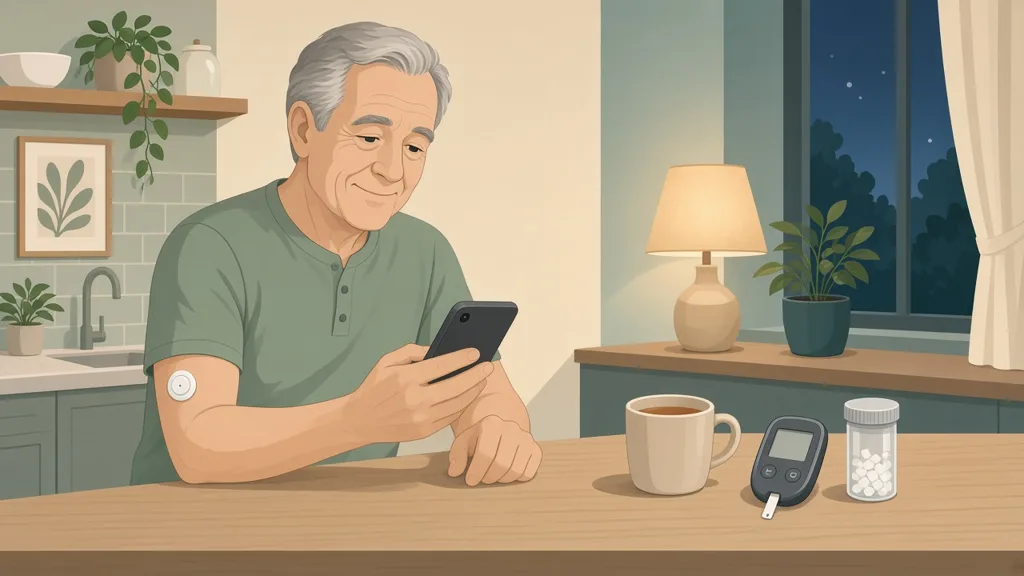
The FreeStyle Libre 3 Plus is a small round sensor worn on the back of the upper arm. It measures glucose in the fluid under the skin and sends a reading to the Libre app or the FreeStyle Libre 3 reader. According to the ADA consumer guide:
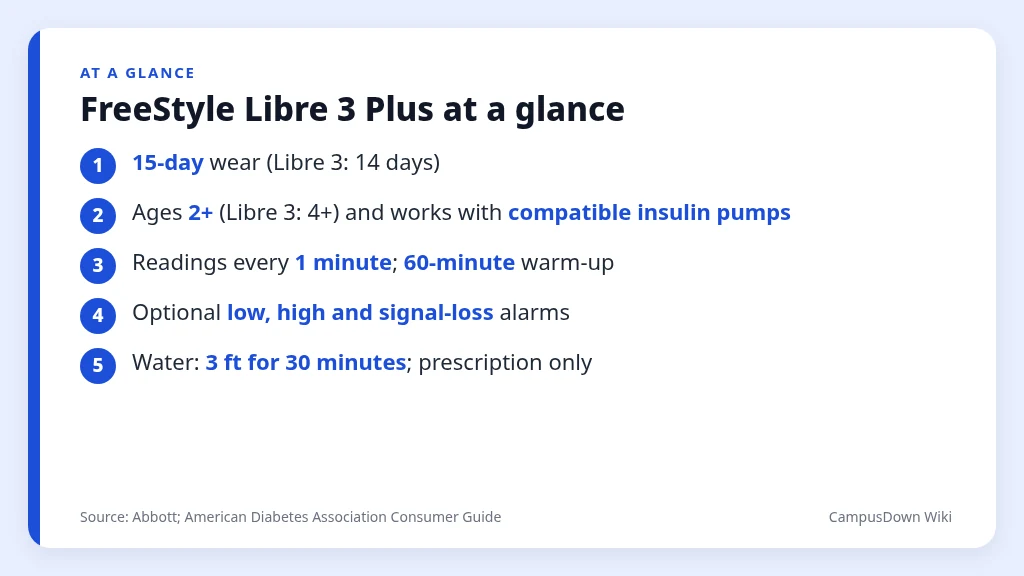
- Readings: every minute, with no fingerstick calibration
- Wear: 15 days on the back of the upper arm
- Warm-up: 60 minutes
- Alarms: optional low glucose, high glucose and signal-loss alarms
- Water: can be immersed in 3 feet of water for up to 30 minutes
- Range: the phone or reader should stay within about 33 feet
- Pregnancy: approved for use during pregnancy
Abbott notes that fingersticks are still required for treatment decisions when you see the Check Blood Glucose symbol, and when alarms or readings do not match symptoms or expectations.

What is new compared with the Libre 3
Abbott lists three changes from the FreeStyle Libre 3 sensor:
- Wear time extends from 14 to up to 15 days.
2. It can be used with compatible insulin pumps. 3. The age indication expands to 2 years and older (the Libre 3 was 4 and older, per the ADA).
In the United States, Tandem announced its t:slim X2 pump with the Libre 3 Plus sensor, and Insulet announced in 2026 that Omnipod 5 compatibility was expanding to the Libre 3 Plus. Pump pairing depends on your pump's software, so confirm with your pump maker and prescriber before you switch sensors.
Small differences like these are easy to miss on a pharmacy label. The story below shows how they play out in real life, and the steps after it explain each one in detail.
Example scenario: the alarm that cried wolf
- Who
- Ray, 67, a retired bus mechanic with type 2 diabetes who started bedtime insulin last spring.
- What happened
- His insurance switched his CGM to the FreeStyle Libre 3 Plus. In the first week, the signal-loss alarm went off twice during dinner because he left his phone charging in another room, and one evening the app showed 248 mg/dL after a light meal.
- How it felt
- Ray felt frustrated and a little foolish. He worried the new sensor was broken and that he had wasted a month's supply, and he almost took extra insulin before bed.
- What they did
- He called his diabetes nurse first. She had him do a fingerstick, which read 176 mg/dL, reminded him to keep his phone within range, and helped him set the alarms to levels his care team chose. She also told him to report a faulty sensor to Abbott customer care instead of throwing it away.
- How it turned out
- Over the next two sensors the readings tracked his meter closely, the alarms became rare, and Ray stopped treating every number as an emergency. He keeps his phone in his shirt pocket now.
This is an illustrative example, not a real patient or a review.
Ray's near-miss with extra insulin is the part to remember: confirm a surprising number before acting on it. That simple habit protects you on any CGM.
Most-asked questions about the Libre 3 Plus
Libre 3 Plus vs Libre 3: what is the difference?
Abbott lists three changes: 15-day wear instead of 14, use with compatible insulin pumps, and an age indication of 2 and older instead of 4 and older. Both send readings every minute.
Why people ask: "libre 3 plus vs libre 3" is the #1 Google suggestion for "libre 3 plus vs libre 3," and "freestyle libre 3 vs libre 3 plus" is #1 for "freestyle libre 3 vs" (US autocomplete, November 2026).
FreeStyle Libre 3 Plus vs Dexcom G7: which should I choose?
Both need no calibration. The Libre 3 Plus reads every minute with a 60-minute warm-up and 15-day wear; the 10-day Dexcom G7 reads every five minutes with a 30-minute warm-up. Pump compatibility, alarms and coverage usually decide. Compare in Dexcom G7 and our side-by-side guide.
Why people ask: "freestyle libre 3 plus vs dexcom g7" is the #1 suggestion for "freestyle libre 3 plus vs" (US, November 2026).
Why does my Libre 3 Plus lose signal or read differently from my meter?
The phone or reader should stay within about 33 feet, and a CGM measures fluid under the skin, so it lags blood glucose when levels change quickly. Confirm with a fingerstick when readings and symptoms do not match.
Why people ask: On an 85,000-view YouTube review, "FreeStyle Libre 3 Plus – 2-Month Review," a comment about frequent signal losses has 22 likes, and the most-liked comment (40 likes) asks whether anyone else hates the alarm sound. "freestyle libre 3 plus accuracy problems" is #1 for "freestyle libre 3 plus accuracy" (read November 2026).
What does a Libre 3 Plus error code mean?
Error codes are explained in the app's help and the user's manual for your system. If a sensor error does not clear, contact Abbott customer care at 1-855-632-8658 before removing it, so the problem can be documented.
Why people ask: "freestyle libre 3 plus error code 57" is the #1 suggestion for "freestyle libre 3 plus error" (US, November 2026).
Does Medicare cover the Libre 3 Plus?
Medicare.gov says Part B may cover a CGM if you have diabetes, your provider orders it, you take insulin or have a history of low blood sugar problems, and you are trained to use it. Abbott's free-sample offers exclude Medicare and Medicaid beneficiaries. See CGM coverage under Medicare.
Why people ask: "freestyle libre 3 plus medicare coverage" is #1 for "freestyle libre 3 plus medicare" (US, November 2026).
If your own sensor has been acting up, check it for yourself against a fingerstick a few times before deciding it is faulty, and write down the times so support can help.
Applying it well
Abbott's application video walks through these steps:
- Wash the back of the upper arm with non-moisturizing, fragrance-free soap.
2. Clean with an alcohol wipe and let the skin dry fully. 3. Unscrew the applicator cap and do not put it back on. 4. Push the applicator firmly until it clicks, then press around the sensor edge. 5. Choose a new spot for the next sensor.
If adhesion is a problem, see what to do when a CGM sensor falls off.
Related on CampusDown
See the earlier generation in FreeStyle Libre 2 Plus, learn how to treat lows in Hypoglycemia, and read how to check blood sugar with a fingerstick for confirming readings.
Frequently asked questions
- How long is the Libre 3 Plus warm-up?
- The ADA consumer guide lists a 60-minute warm-up.
- Can kids use the Libre 3 Plus?
- Yes. Abbott lists an age indication of 2 years and older.
- Can I swim with the Libre 3 Plus?
- The ADA guide says it can be immersed in 3 feet of water for up to 30 minutes.
- Do I need a prescription?
- Yes. Abbott states the product is for prescription only.
The Libre 3 Plus can make daily diabetes care far less of a guessing game once you trust its patterns. Learn more about your alarm settings with your care team, keep a meter for the odd reading, and report sensors that fail early.
Browse more guides like this in the Home Medical Devices hub.
This article is for general education and does not replace advice from your own doctor, nurse or pharmacist.
References
- American Diabetes Association Consumer Guide: FreeStyle Libre 3 and FreeStyle Libre 3 Plus
- Abbott: What's New in the FreeStyle Libre 3 Plus Sensor
- Tandem Diabetes Care: t:slim X2 Insulin Pump Now Available with FreeStyle Libre 3 Plus Sensor
- Insulet: U.S. Rollout of Enhanced Omnipod 5 Algorithm and FreeStyle Libre 3 Plus Compatibility
- Medicare.gov: Continuous glucose monitors