
Did you just bring home a ResMed AirSense 11, set it on the nightstand, and wonder which of its buttons actually matter? You are not alone. Most new CPAP users get a five-minute demo from the equipment supplier and then face the first night by themselves.
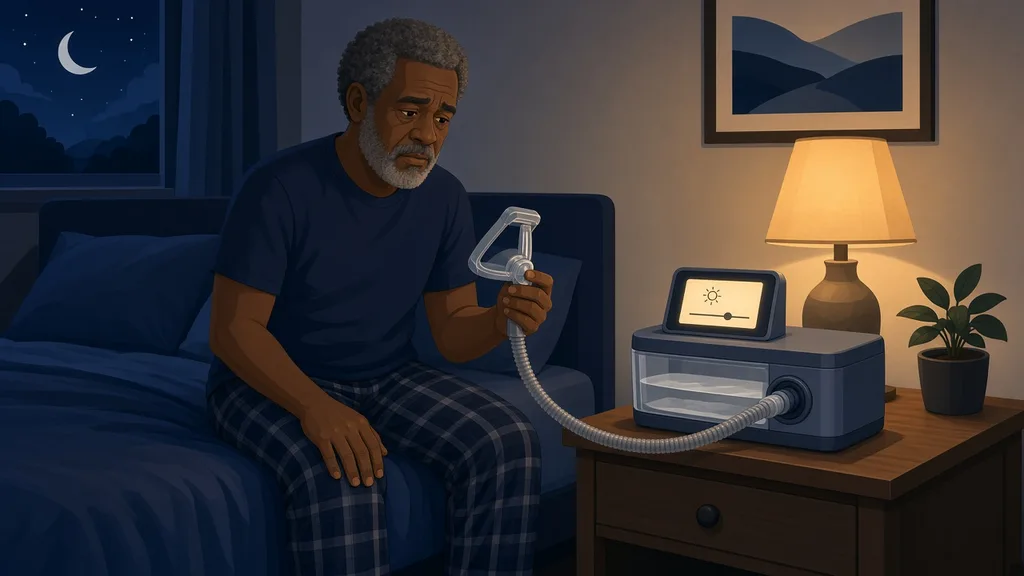
This guide walks through the AirSense 11 using ResMed's own U.S. user guide and product pages, checked in November 2026. It explains the two models, the comfort settings you can change yourself, the cleaning routine, and the Medicare rule that makes the first 90 days so important. If you are still learning what sleep apnea is, start with our obstructive sleep apnea overview.
AirSense 11 AutoSet vs AirSense 11 CPAP
ResMed sells the AirSense 11 in two models:
- AirSense 11 AutoSet: an auto-adjusting (APAP) machine that, in ResMed's words, changes airflow pressure "on a breath-by-breath basis." It also includes AutoSet for Her, a mode ResMed designed for women with mild to moderate obstructive sleep apnea.
- AirSense 11 CPAP: a fixed-pressure machine that delivers one consistent pressure set by your doctor.
Both cover an operating pressure range of 4 to 20 cm H2O according to the user guide. Which model you get, and the pressure range it runs within, is a prescription decision. Your doctor or equipment supplier sets it; you do not.
ResMed says the AirSense 11 AutoSet "combines the trusted therapy modes of both AirSense 10 AutoSet and AutoSet for Her" and adds newer digital features. Compared with the AirSense 10, the big changes are a touchscreen, a side-loading HumidAir 11 tub, and myAir features such as Personal Therapy Assistant, Test Drive and Care Check-In. If you already have a working AirSense 10, there is no medical reason to replace it just because a newer model exists.

The settings you can change yourself
On the Home screen, tap MY OPTIONS. These are the comfort settings ResMed lets patients adjust (some only if your provider enabled them):
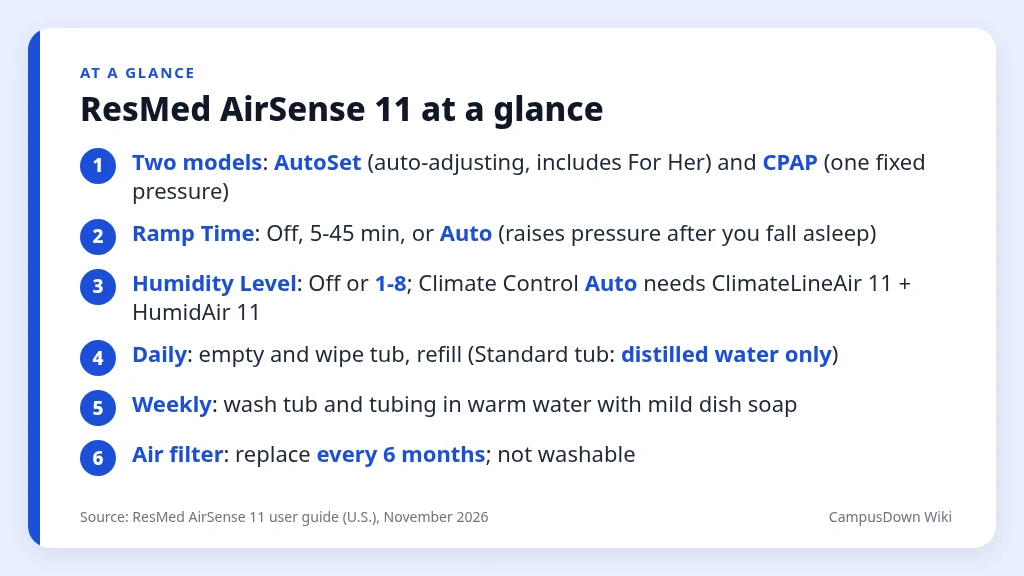
- Ramp Time: Off, 5 to 45 minutes in 5-minute steps, or Auto. With Auto (ResMed calls it AutoRamp), the machine starts at a low pressure and, after it detects that you have fallen asleep, gradually raises pressure to your prescribed level.
- Expiratory Pressure Relief (EPR): lowers pressure slightly while you breathe out. The user guide lists Level 1 (1 cm H2O), Level 2 (2 cm H2O) and Level 3 (3 cm H2O).
- SmartStart and SmartStop: therapy starts when you breathe into the mask and stops a few seconds after you take it off.
- Humidity Level: Off or 1 to 8, where 1 is the lowest.
- Tube Temperature: with ClimateLineAir 11 heated tubing, Auto sets it to 80°F (27°C); you can choose 60 to 86°F or turn it off.
Under MORE, you will find Mask Fit, which helps you spot leaks around the cushion, and Airplane Mode.
Key point
ResMed's rule of thumb from the user guide: dry nose or mouth, turn humidity up; moisture in the mask, turn humidity down. If water droplets collect in the tubing (rainout), first try raising the tube temperature.
Climate Control: Auto vs Manual
Climate Control Auto is the default and the setting ResMed recommends. It aims for a steady 85% relative humidity at a comfortable temperature. It only works when both the ClimateLineAir 11 heated tube and the HumidAir 11 tub are attached. ResMed says ClimateLineAir 11 is the only heated tubing compatible with the AirSense 11.
Climate Control Manual lets you set humidity and tube temperature yourself. Many people never need it. If you keep waking with a dry mouth, read our CPAP dry mouth guide before changing several settings at once.
Water: which tub, which water
The AirSense 11 uses two HumidAir 11 tubs:
- HumidAir 11 Standard tub: distilled water only.
- HumidAir 11 Cleanable tub: drinking-quality (potable) water.
The tub holds up to 380 mL. Remove it from the machine before filling, and fill only to the maximum line.
Example scenario: the first two weeks
- Who
- Thaddeus, 61, a freight dispatcher in Memphis, was diagnosed with moderate obstructive sleep apnea after his wife recorded him gasping in his sleep. His supplier set him up with an AirSense 11 AutoSet and a nasal mask.
- What happened
- For the first week he woke at 2 a.m. with the mask on the floor and no memory of taking it off. The myAir score sat in the red, and he started to wonder out loud whether he was "a CPAP person" at all.
- How it felt
- He felt embarrassed, a little angry at the machine, and worried about what his wife had heard on those recordings. He also knew his trucking friends joked about "the hose," and he did not want to admit he was struggling.
- What they did
- He called his supplier instead of quitting. They turned on AutoRamp, raised the humidity one step for his dry throat, and refitted him to a smaller cushion after running Mask Fit together. He also did a 20-minute Test Drive in the evening while watching TV.
- How it turned out
- By the third week he was keeping the mask on most of the night. He says the real fix was asking for help on day eight instead of day eighty.
This is an illustrative example, not a real patient or a review.
Thaddeus is an illustrative example, not a real patient. Settings changes beyond the comfort menu should come from your care team.
The 90-day window that matters
Medicare's coverage rule for PAP devices (local coverage determination L33718) sets a 12-week trial. To keep coverage, Medicare requires:
- use of at least 4 hours per night on 70% of nights during a consecutive 30-day period in the first 3 months, and
- a clinical re-evaluation with your treating practitioner between day 31 and day 91 documenting that you benefit from therapy.
Many private insurers use similar rules. The AirSense 11 can send usage data wirelessly to your care team through its built-in cellular connection, so they can see what you see in myAir. Check your own plan in detail before assuming you are covered. See Medicare Part B costs for 2026, since PAP machines fall under Part B durable medical equipment.
Cleaning and replacing parts
The user guide gives a simple schedule:
- Daily: empty the tub, wipe it with a clean disposable cloth, let it air-dry out of direct sunlight, then refill.
2. Weekly: wash the air tubing in warm water with mild dishwashing liquid. Wash the tub and outlet connector the same way, or soak them in 1 part vinegar to 9 parts water. Rinse and air-dry away from sun and heat. Wipe the outside of the machine with a dry cloth. 3. Air filter: check it regularly and replace it every six months, sooner if it has holes or is clogged. It is not washable.
The tub and outlet connector may go in a dishwasher, but the air tubing must not go in a dishwasher or washing machine. Our CPAP cleaning guide covers masks and the FDA's warning about ozone and UV "CPAP cleaners."
Travel and power
ResMed says the AirSense 11 meets FAA requirements for in-flight use, and medical devices do not count toward your carry-on limit. Two rules from the guide: empty the tub before travel, and never use it with water in the tub while in transit. The machine will not run without either the tub or the side cover in place. For trips where you want something smaller, compare it with the ResMed AirMini.
The AirSense 11 runs on a 65W power supply. ResMed lists an Air11 DC/DC converter as an accessory for 12V or 24V sources. ResMed does not list a built-in battery.
Get help now if
ResMed lists possible side effects including dryness of the nose, mouth or throat, nosebleeds, bloating, ear or sinus discomfort and eye irritation. Report unusual chest pain, severe headache or increased breathlessness to your doctor. A bad cold or upper respiratory infection may need a temporary pause; ask your doctor first.
Most-asked questions about the AirSense 11
AirSense 11 vs AirSense 10: what changed?
The AirSense 11 adds a touchscreen, a side-loading HumidAir 11 tub, over-the-air updates and newer myAir tools like Personal Therapy Assistant and Care Check-In. The core AutoSet and AutoSet for Her modes carry over from the AirSense 10.
Why people ask: "airsense 11 vs 10" is the #1 Google suggestion for "airsense 11 vs" (US autocomplete, November 2026).
Should I get the AirSense 11 CPAP or AutoSet?
That is a prescription choice. AutoSet adjusts pressure through the night; CPAP holds one fixed pressure. Ask your sleep doctor which one your sleep study supports.
Why people ask: "resmed airsense 11 cpap vs autoset" is the #1 suggestion for "resmed airsense 11 cpap vs" (US, November 2026).
How often do I change the AirSense 11 filter?
ResMed's user guide says replace the air filter every six months, or sooner if it has holes or looks clogged. It cannot be washed.
Why people ask: "resmed airsense 11 filters" is #7 for "resmed airsense 11," and "airsense 11 filters" is #6 for "airsense 11" (US, November 2026).
Does the AirSense 11 have a battery?
ResMed does not list a built-in battery. It runs on a 65W power supply, and ResMed sells an Air11 DC/DC converter for 12V or 24V sources. Ask your supplier before buying any third-party battery.
Why people ask: "resmed airsense 11 cpap battery backup" is the #1 suggestion for "resmed airsense 11 cpap battery" (US, November 2026).
If you want to learn more about your own numbers, open myAir after a week and look at usage hours and mask seal side by side.
Related on CampusDown
Pick the right cushion with CPAP mask types, compare machines in CPAP vs BiPAP, and if sleep is still poor on CPAP, read about insomnia and CBT-I.
Frequently asked questions
- Do I need a prescription for the AirSense 11?
- Yes. ResMed says a CPAP prescription is required, and coverage depends on your insurer.
- Can I use tap water in the AirSense 11?
- Only in the HumidAir 11 Cleanable tub, with drinking-quality water. The Standard tub takes distilled water only.
- Can I change my own pressure?
- No. Pressure is set by your care provider. You can change comfort settings such as ramp, humidity and EPR if enabled.
- Does the AirSense 11 work without the myAir app?
- Yes. ResMed says the app is not required to operate the machine.
The AirSense 11 is built to make the first months easier, but the machine only helps on the nights you wear it. Talk to your doctor or equipment supplier early if something feels wrong, and take a closer look at your myAir data together.
Browse more guides like this in the Home Medical Devices hub.
This article is for general education and does not replace advice from your own doctor, nurse or pharmacist.