
Is the Omron Platinum worth it, or will any blood pressure monitor do? People ask this in pharmacy aisles every day, often holding two boxes and a doctor's note that says "check your blood pressure at home." The honest answer is that the best monitor is a validated upper-arm model that fits your arm and that you will actually use correctly.
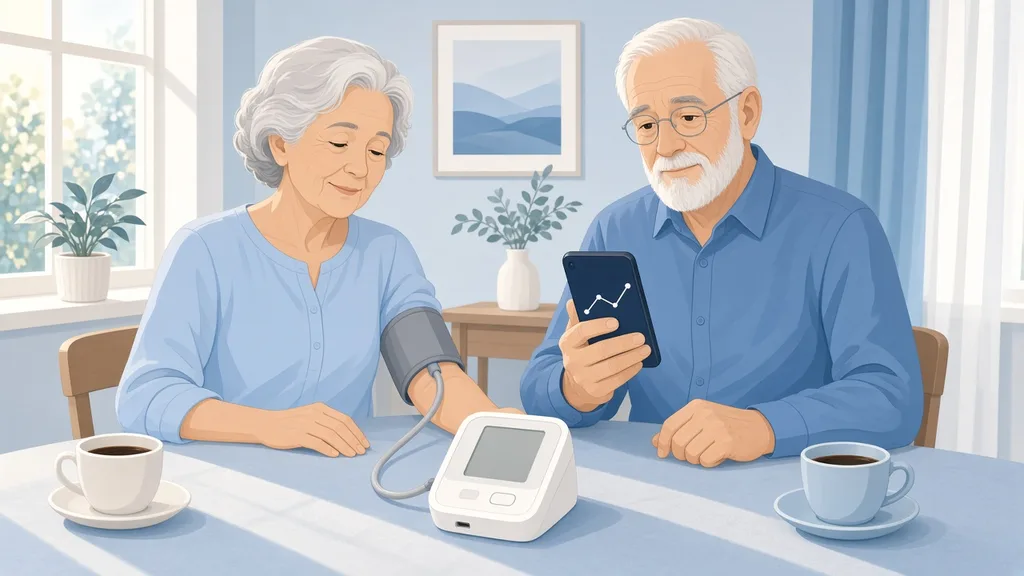
The Omron Platinum BP5450 is one of the most widely sold home monitors in the United States. This guide explains what it does according to Omron's own instruction manual and the US Validate BP listing, who it suits, and how to set it up so the numbers are useful. Before you buy, take a closer look at the cuff range and the features you will really use.
What the BP5450 is
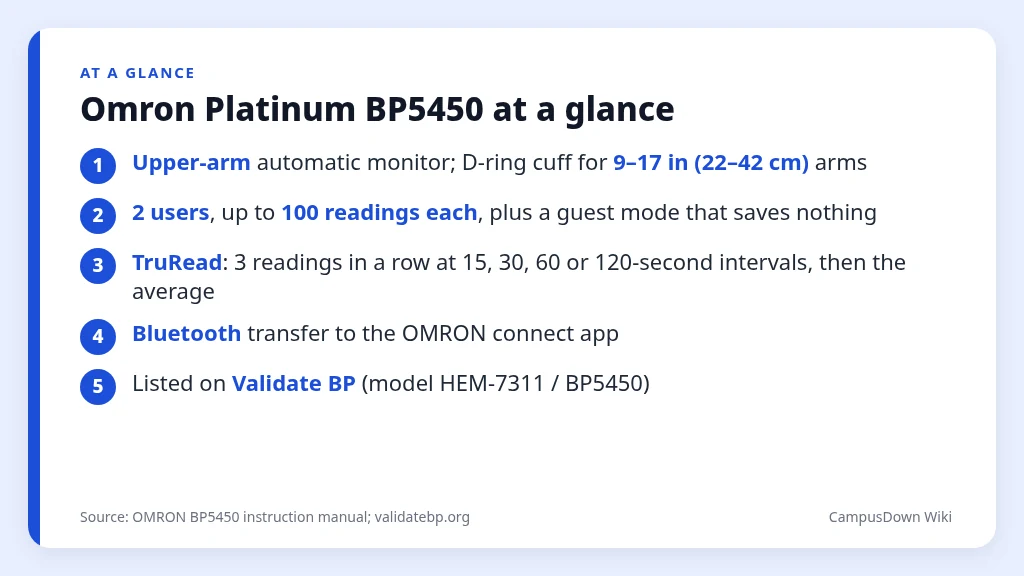
The BP5450 is an automatic upper-arm blood pressure monitor for home use. The American Heart Association recommends upper-arm cuff monitors over wrist or finger devices because they give more reliable readings. The National Library of Medicine's AccessGUDID database lists the Omron Platinum Upper Arm Blood Pressure Monitor, model BP5450, as an automatic digital upper-arm monitor with two users, 100 readings of memory per user, and Bluetooth connectivity.
According to the instruction manual, the box includes the monitor, a wide-range D-ring cuff, an AC adapter, four AA batteries, a storage case, and printed guides. The cuff covers upper arms from 9 to 17 inches (22–42 cm).

Example scenario: a couple sharing one monitor
- Who
- Hazel, 68, and Glenn, 70, retired teachers in Arizona. Glenn takes blood pressure medicine; Hazel was recently told her readings were borderline.
- What happened
- They bought one monitor to share. For two weeks they both measured on User 1 because neither had read the manual. Glenn's doctor saw a log full of readings that swung from 118 to 156 and asked what was going on.
- How it felt
- Hazel felt guilty for "ruining" Glenn's data, and Glenn felt frustrated that the expensive monitor seemed useless.
- What they did
- Their granddaughter set Hazel to User 2, turned on Bluetooth pairing with Glenn's phone for User 1 only, and showed them the guest mode for visitors. They redid one clean week following the AHA routine.
- How it turned out
- Glenn's doctor finally saw a steady pattern and adjusted his plan, and Hazel had her own week of readings to bring to her next checkup. Hazel joked that the most important button on the monitor was the user switch.
This is an illustrative example, not a real patient or a review.
Shared monitors are common in households, and the user switch is easy to ignore. If you share a device, decide who is User 1 and User 2 on day one and label it. The setup steps below cover this in detail.
Main features, from the manual
- Two users and guest mode: each user stores up to 100 readings. Guest mode takes a single reading and stores nothing, which keeps visitors out of your log.
- TruRead mode: when turned on, the monitor takes three consecutive readings at an interval you choose (15, 30, 60 or 120 seconds) and shows the average. It is off by default.
- Comparison display: when you view memory, the latest reading appears alongside a past reading.
- Bluetooth and app: readings transfer to the OMRON connect app. The manual advises transferring readings promptly, because when memory is full the oldest reading is replaced.
- Validation: the Validate BP listing shows "Platinum Upper Arm (HEM-7311) (BP5450)" for general adults with a 22–42 cm cuff, validated to the ANSI/AAMI/ISO 81060-2:2009 protocol.
A 2023 study in the Journal of Human Hypertension tested the BP5450 (listed as HEM-7343T-Z) and the BP7450 against the ISO 81060-2:2018/AMD 1:2020 protocol. Both passed. Omron sponsored the study and supplied the Omron units, which is worth knowing when you read the results.
Most-asked questions about the BP5450
These are the questions US shoppers and owners type most often about this monitor and its sister models.
BP5450 vs BP7450: what is the difference?
Both manuals list two users with up to 100 readings each, a guest mode, TruRead, irregular heartbeat detection and Bluetooth, and both cover 9–17 inch (22–42 cm) arms. The main hands-on difference is the cuff: the BP7450 (10 Series) comes with the pre-formed Easy-Wrap ComFit cuff, while the BP5450 uses a wide-range D-ring cuff. In the 2023 validation study, mean differences from the reference were 0.5/2.5 mm Hg for the BP7450 and 1.9/3.6 mm Hg for the BP5450, and both passed.
Why people ask: "omron bp5450 vs bp7450" is the #2 Google suggestion after typing "omron bp5450 vs", and "omron bp7450 vs bp5450" is #2 for "omron bp7450 vs" (US autocomplete, November 2026).
BP5450 vs BP5465: is the newer one worth it?
Omron's product page describes the Platinum BP5465 as adding AFib screening. The BP5450 manual does not describe AFib screening, so it only flags irregular heartbeats during a reading. If rhythm is your worry, a flag on any monitor is a reason to talk to your clinician, not a diagnosis. See personal EKG devices for tools built for rhythm checks.
Why people ask: "omron bp5450 vs bp5465" is the #1 Google suggestion for "omron bp5450 vs" (US, November 2026).
Platinum vs Silver BP5250: what do you give up?
The Silver BP5250 manual lists the Easy Wrap ComFit cuff for 9–17 inch arms, Bluetooth, irregular heartbeat detection and up to 80 readings in internal memory. The Platinum adds two-user memory of 100 readings each and TruRead averaging. If one person measures and uses the app, the Silver may be enough; see our Omron Silver BP5250 guide.
Why people ask: "omron platinum vs silver" is the #5 suggestion for "omron platinum vs", and "omron silver vs platinum" is #5 for "omron silver vs" (US, November 2026).
Why won't my BP5450 pair or sync over Bluetooth?
Pairing runs through the OMRON connect app, and the manual has a section on turning the monitor's Bluetooth off and on. Check that Bluetooth is enabled on both the monitor and phone, keep the phone nearby, and follow the app's pairing steps for your exact model. Transfer readings regularly: when memory fills up, the monitor deletes the oldest reading.
Why people ask: "omron bp5450 bluetooth not working" is the #1 suggestion for "omron bp5450 not working", and "omron bp5450 bluetooth pairing" is #4 for "omron bp5450" (US, November 2026).
What do E1, E2 or E5 errors on an Omron monitor mean?
Omron's troubleshooting tables tie most error screens to a few causes: the air plug is not fully inserted, the cuff is not wrapped correctly or leaks air, or you moved or talked during the reading. Reseat the plug, rewrap the cuff on a bare arm, sit still and silent, and try again. If errors keep coming back, the manual for your model lists each code.
Why people ask: "omron bp7450 error e1" is the #1 suggestion for "omron bp7450 error", and "omron platinum e5 error" is #1 for "omron platinum error" (US, November 2026).
Is the Omron Platinum accurate?
It appears on the US Validate BP list, and the 2023 study above found it met the ISO standard. Accuracy at home still depends on the right cuff size and the AHA routine. Bring it to an appointment once so your clinician can compare it with office readings.
Why people ask: "is omron accurate" appears in the suggestions for "omron bp5450 accuracy" (#7) and "omron bp5450 review" (#6) (US, November 2026).
Most of these questions come down to two things: the cuff and the routine. Once you have the right model, the setup below is what turns it into numbers your doctor can trust, so take a closer look before your first week of readings.
Setting it up and using it correctly
- Measure your arm and confirm it is between 9 and 17 inches. If not, see the cuff size guide.
2. Set the date and time, choose your user number, and decide whether to turn on TruRead. 3. Pair with the app if you want automatic logs. 4. Follow the AHA routine: no caffeine, smoking or exercise for 30 minutes; five minutes of quiet rest; back supported; feet flat; bare arm at heart level. 5. Take two readings one minute apart, or use TruRead, and keep the same times each day.
The full routine is in how to take blood pressure at home. Bring the monitor to a visit so your clinician can compare it with office equipment, as the AHA suggests. Omron also warns on its download pages about counterfeit products sold online, so buy from a reputable retailer and check it for yourself against the model number on Omron's site.
Who it suits, and who should ask first
It suits adults with arm sizes in the cuff range who want two-user memory and app logs. Ask your clinician before relying on any home monitor if you are pregnant, have an arrhythmia, or care for a child, because the AHA advises choosing a monitor validated for that group.
Get help now if
If a reading is higher than 180/120 and stays high after a second measurement, contact your healthcare professional. With chest pain, shortness of breath, back pain, numbness, weakness, vision changes or difficulty speaking, call 911.
Related on CampusDown
Compare device types in upper arm vs wrist monitors and see how to check any model on the validated monitor list. To understand your readings, read blood pressure of 130/80 and High Blood Pressure (Hypertension).
Frequently asked questions
- What cuff size comes with the Omron Platinum BP5450?
- The manual lists a wide-range D-ring cuff for upper arms 9 to 17 inches (22–42 cm). Arms outside that range need a different cuff or monitor.
- How many readings does the Omron Platinum store?
- Up to 100 readings per user for two users. Guest mode readings are not stored. The app can keep a longer history.
- What is TruRead on Omron monitors?
- An optional mode that takes three readings in a row at a chosen interval and shows the average. It is off until you turn it on.
- Is the Omron Platinum BP5450 clinically validated?
- Validate BP lists Platinum Upper Arm (HEM-7311) (BP5450) as validated for general adults with a 22–42 cm cuff.
A good monitor only helps if the readings are clean and belong to the right person. Set your user number, measure your arm, and learn more about the daily routine before you start your first week of readings with the BP5450.
Browse more guides like this in the Home Medical Devices hub.
This article is for general education and does not replace advice from your own doctor, nurse or pharmacist.
References
- OMRON Healthcare: Platinum Upper Arm Blood Pressure Monitor Model BP5450 Instruction Manual (PDF)
- Validate BP: Platinum Upper Arm (HEM-7311) (BP5450)
- NLM AccessGUDID: Omron Platinum Upper Arm Blood Pressure Monitor BP5450
- OMRON Healthcare: Platinum Upper Arm Blood Pressure Monitor BP5465
- OMRON Healthcare: 10 Series Model BP7450 Instruction Manual (PDF)
- OMRON Healthcare: Silver Model BP5250 Instruction Manual (PDF)
- Peprah YA, Lee JY, Persell SD. Validation testing of five home blood pressure monitoring devices (J Hum Hypertens, 2023)
- American Heart Association: Home Blood Pressure Monitoring